
Beat Piano - Music EDM Tiles
Avatar GGMusic
4.6126.00 Reviews
- Version
- 1.110.0
- Installs
- 10.00M
- Age Rating
- Everyone
Screenshots
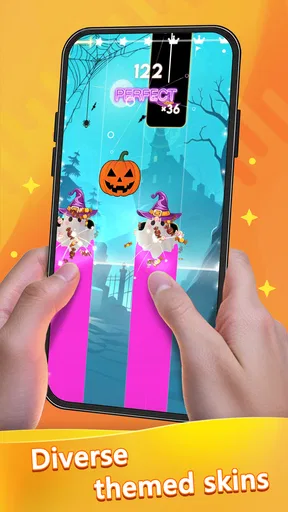
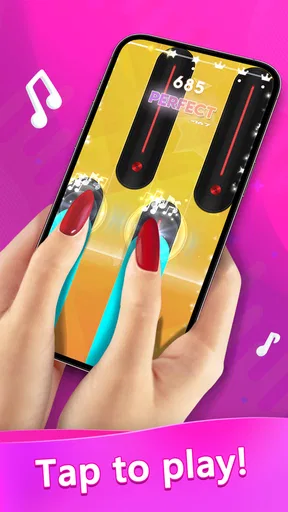
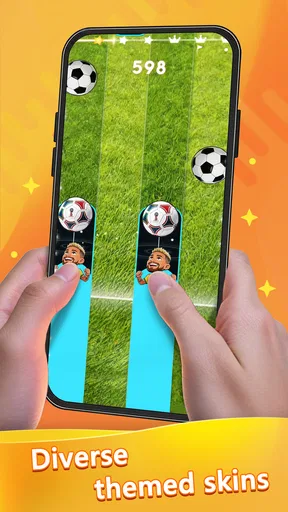
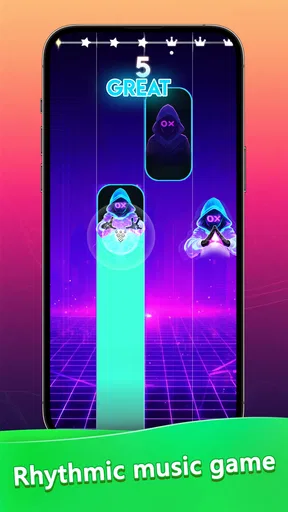
Our Review of Beat Piano - Music EDM Tiles
 Analysis by Appyee
I tend to judge a rhythm game less by its first flashy screen than by what happens when a song starts: can I read the notes, recover after a missed tap, and enjoy a short session without turning it into a chore? Beat Piano - Music EDM is built around that quick, hands-on appeal. It is a free music game from Avatar GG, and its basic idea is easy to understand: follow the notes as they move across the screen and keep time with the track.
That simple premise makes it approachable, but rhythm games can still have small moments of friction. A missed note may come from my timing, an unfamiliar pattern, or an interruption rather than a problem with the game itself. I find it helps to treat the first attempt as a warm-up instead of expecting a clean run immediately. Once I settle into the beat, the tapping feels much more natural.
When a run feels harder than it should
The main challenge is coordinating what I see with what I hear. If I focus only on the animation, I can react late; if I listen closely while tracking the notes, the rhythm becomes easier to anticipate. I also avoid trying to correct every mistake with a frantic burst of taps. That usually makes the next sequence harder to read. Staying calm and returning to the next clear beat is a better way to keep a run enjoyable.
It is also worth remembering that a song that feels comfortable on one attempt may feel demanding on another, especially if I am distracted or playing in a noisy place. I would not use a single rough round as proof that the controls are poor. A short break, a quieter spot, or simply trying the passage again with more attention can make a noticeable difference to my own consistency.
A sensible start before chasing a score
When I open a music game for a quick session, I first make sure I can see the screen clearly and hold the phone comfortably. That sounds basic, but awkward grip and glare are easy ways to make taps feel less precise. I also give myself a moment to listen to the track before concentrating on a high score. In a game where timing matters, a relaxed start is more useful than rushing straight into a demanding run.
If the game does not respond the way I expect, I check the simple things first: whether my fingers are landing where I intend, whether the phone is being held steadily, and whether anything else is competing for my attention. I close and reopen a game only when it seems genuinely stuck, rather than treating that as the answer to every missed note. These are general checks, not special settings or hidden controls, and they keep troubleshooting sensible.
Getting into the Groove
First off, let me say how incredibly easy it was to get started with Beat Piano - Music EDM. After downloading and opening the app, you're immediately welcomed by a vibrant and intuitive interface. The colors are bright, the graphics are slick, and everything is laid out in a way that practically screams, "Come on, let’s play!"
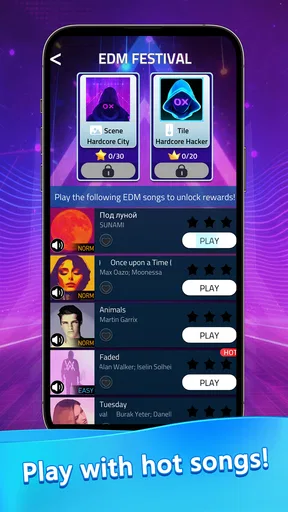
The app features a wide variety of EDM tracks, which is fantastic because who doesn’t love a good beat drop? You’re not just listening to the music; you’re actively engaging with it. As the music plays, you tap along to the notes that scroll down the screen. It’s simple in concept but masterful in execution.
Playing Your Heart Out
Now, let’s talk gameplay. If you’ve ever played rhythm games before, you’ll feel right at home. Even if you haven't, the learning curve is pretty forgiving. The game does a great job of starting you off easy but gradually cranking up the difficulty, so you’re always challenged but never overwhelmed.
The controls are fluid, which is crucial for a game like this. You tap, hold, and slide your fingers on the screen to match the beat. It’s all about timing, and when you nail a sequence, it’s unbelievably satisfying. You almost feel like a DJ, orchestrating a musical masterpiece with your fingertips.
What it suits, and what it asks of you
I see this as a good fit for brief breaks: a few rounds while waiting for a ride, winding down after work, or giving a music-loving friend a simple game to try. Its immediate note-following format asks for attention without requiring a long explanation, so it works well when I want something more active than listening to a playlist. The important trade-off is that this is still a screen-focused game; it is not a substitute for putting on music and doing something else.
For a more useful practice loop, I focus on one song at a time rather than hopping between tracks whenever a section gets tricky. I listen for the pulse, notice whether my misses happen during holds or slides, then try again with that one pattern in mind. That turns replaying into a small skill exercise instead of a score chase. It is especially helpful when my hands are tense: loosening my grip and using deliberate movements feels more reliable than tapping harder.
Compared with music apps that simply play songs, this gives me an active task and a reason to pay close attention to timing. Compared with more elaborate rhythm games, its appeal is the straightforward piano-tile premise rather than a complex instrument simulation. If I want to discover new music passively, a streaming app is the better choice; if I want deeper music-making tools, a dedicated creation app makes more sense. I choose this when the point is to react to a track and enjoy the immediate feedback of a game.
Keeping a session enjoyable
A realistic use case is a short wait in a place where I can safely look at my phone and hear the music. I would play a round, put the phone away when I need to pay attention to people or traffic, and return later rather than trying to squeeze in a run while distracted. That matters because missed timing can quickly become frustrating when my attention is split. This is a better match for a few focused minutes than for play during tasks that need my eyes or hands.
The leaderboard and daily challenges mentioned in the game give players reasons to return, but I would treat them as optional motivation rather than a requirement. A competitive score can make a familiar track more engaging; it can also take the fun out of a casual session if I start measuring every attempt against other players. I get more from setting a small personal aim—such as keeping a sequence steady—than from letting a ranking decide whether a session was worthwhile.
There is a practical trade-off in the free-to-play format. The game is free to install, with optional in-app purchases listed from $0.99 to $9.99 per item, and ads may interrupt the flow. I would decide in advance whether I am comfortable with that kind of interruption and avoid spending just to solve a moment of impatience. The game is rated for Everyone, and its broad accessibility makes it easy to share with family, though the fast visual rhythm may not suit every player equally.
Someone deciding whether to try it may wonder if prior rhythm-game experience is essential. I do not think it is: the basic interaction is easy to grasp, and the forgiving early play described in the game makes it a reasonable starting point. The more relevant question is whether you enjoy timing taps to moving visual cues. If you prefer slower puzzles, dislike rapid screen interaction, or want a game that can be played without watching the display, this is probably not the right pick.
Another sensible question is whether the game is for relaxed listening or focused play. In practice, I find it leans toward the latter. The soundtrack is part of the appeal, but success depends on following the notes rather than letting the music run in the background. Headphones can help me concentrate in a noisy environment, while the phone speaker is convenient when I am somewhere quiet; either way, I keep the volume comfortable and use whichever setup lets me follow the beat without strain.
Playing Your Heart Out
Now, let’s talk gameplay. If you’ve ever played rhythm games before, you’ll feel right at home. Even if you haven't, the learning curve is pretty forgiving. The game does a great job of starting you off easy but gradually cranking up the difficulty, so you’re always challenged but never overwhelmed.
The controls are fluid, which is crucial for a game like this. You tap, hold, and slide your fingers on the screen to match the beat. It’s all about timing, and when you nail a sequence, it’s unbelievably satisfying. You almost feel like a DJ, orchestrating a musical masterpiece with your fingertips.
Features That Hit the Right Note
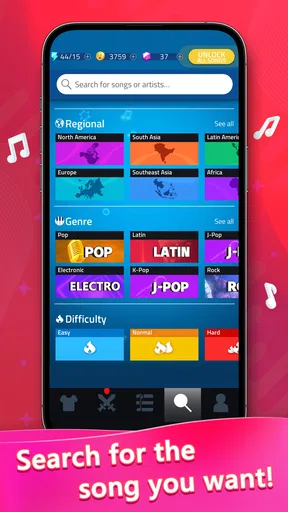
One of the standout features of this app is its diverse song library. It’s not just the quantity but the quality of the tracks available. From heart-thumping bass lines to more melodic tunes, there’s something here for every EDM enthusiast.
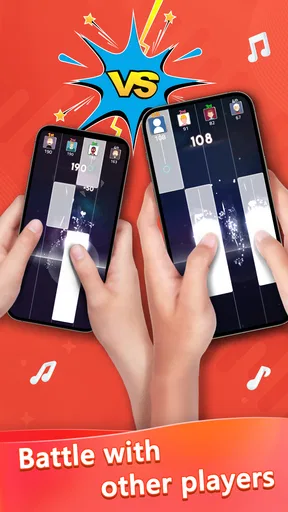
The app also includes a leaderboard, so you can see how you stack up against other players. It adds a competitive edge to the game, motivating you to perfect your skills and climb the ranks. And let’s not forget the daily challenges and rewards that keep the gameplay fresh and exciting.
Visuals and Sound: A Match Made in Heaven
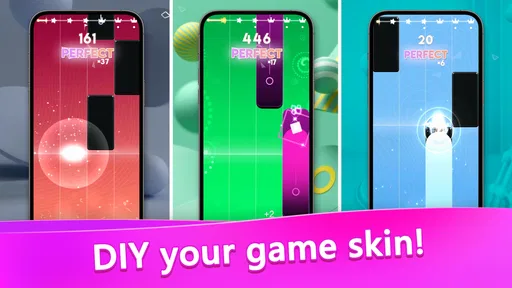
I can’t talk about Beat Piano - Music EDM without mentioning its stellar visuals. The graphics are not only eye-catching but also serve a functional purpose. They guide you through the gameplay in a way that feels natural and seamless. The colors and animations sync perfectly with the music, creating an immersive experience that pulls you in.
And the sound quality? Top-notch. The tracks are crisp, clear, and full of life. Whether you’re using headphones or the phone’s speakers, the audio experience is fantastic.
Room for Improvement?
Of course, no app is without its flaws. While the song library is impressive, it could stand to be updated more frequently. After a while, you might find yourself craving some new tracks to master. Also, the ads can be a bit intrusive at times, but hey, that’s the price we pay for free apps, right?
For players who like to keep track of whether an issue comes from their technique or the game, I recommend changing only one thing between attempts. If I switch songs, grip, volume, and surroundings all at once, I cannot tell what helped. Keeping the same track and adjusting just my focus or posture gives me a clearer sense of whether I am improving. This is a small habit, but it makes repetition less aimless.
When a session feels unresponsive, I separate a timing mistake from a general phone problem. If other touch interactions on the device work normally, I go back to the game and try a calmer run. If the whole phone seems sluggish, closing other activity or restarting the device is a reasonable general check before blaming the note patterns. I would avoid repeatedly tapping the screen or making hurried purchases while annoyed; neither helps me work out what is happening.
It is also fair to ask whether the game suits every music fan. Not quite. Its EDM focus is a plus if energetic electronic tracks are what I want, but someone seeking broad genre discovery may prefer a music service or a rhythm game centered on different styles. Likewise, people who want to learn piano technique should look for a teaching tool: tapping along to game notes can sharpen attention and timing, but it is not the same as structured instrument practice.
For a quick compatibility check, the current version is 1.92.2 and the stated minimum Android requirement is version 7.0. I would check that my device meets that requirement before trying to install it, then keep the game updated through the usual app-store process. The release date is October 19, 2023, but what matters more for a new player is whether the present version runs comfortably on their phone and whether the visual pace feels manageable.
At the time I’m reviewing it, the game has a 4.8 average from around 60,000 ratings and over 10 million installs. That suggests it has found a large audience, though I still treat popularity as context rather than a promise that every song or session will suit me. The number of written reviews is smaller, so I would put more weight on trying the core rhythm loop myself than on assuming that a crowd’s score settles the question.
Final Beat
In conclusion, Beat Piano - Music EDM is a must-try for anyone who loves music games or just wants to kill some time in a fun and engaging way. It’s a rhythmic journey that’s both challenging and rewarding. So, if you’re ready to test your rhythm skills and dive into the world of EDM, give this app a whirl. You won’t regret it, and who knows, you might just discover your inner DJ!
My practical verdict is a little more specific: I would recommend it to someone who wants a lively, easy-to-understand music game for short, attentive sessions and enjoys EDM. I would skip it if ads break your concentration, fast visual cues are uncomfortable, or you want music discovery and piano learning rather than a game. Start with a song you enjoy, play somewhere you can focus, and judge it by whether the tapping itself feels satisfying. For me, that is the feature that makes it worth trying.
Verdict
Strengths of Beat Piano - Music EDM Tiles
- Engaging rhythm-based gameplay.
- Wide variety of popular EDM tracks.
- Intuitive touch controls.
- Visually appealing graphics.
- Regular updates with new songs.
Limitations of Beat Piano - Music EDM Tiles
- Contains in-app advertisements.
- Limited offline play options.
- Requires internet for updates.
- Battery-intensive on older devices.
- In-app purchases can be pricey.
Similar Picks in This Category
View All
Tiles Hop Music & Ball Game
AMANOTES PTE. LTD.4.3

Magic Tiles 3™ - Piano Game
AMANOTES PTE. LTD.4.6

Real Piano
Bilkon3.7

Piano Game: Classic Music Song
Dream Tiles Piano Game Studio4.0

Smash Colors: Music Ball Rush
BADSNOWBALL HONGKONG LIMITED4.2

Piano Music Go-EDM Piano Games
Joy Journey Music Games4.5
Frequently Asked Questions
What is Beat Piano - Music EDM, and how does it work?
Beat Piano - Music EDM is an interactive music rhythm game where players tap on tiles to the beat of popular EDM tracks. The game combines vibrant graphics with engaging gameplay, requiring users to follow the rhythm accurately. As players progress, the tempo increases, offering a challenging yet rewarding experience for music enthusiasts.
Is Beat Piano - Music EDM free to play?
Yes, Beat Piano - Music EDM is free to download and play on both Android and iOS platforms. However, the game offers in-app purchases for additional features, such as removing ads, unlocking premium tracks, and other customization options. Players can enjoy the game without spending money, though optional purchases can enhance the experience.
What kind of music tracks are available in Beat Piano - Music EDM?
The game features a wide variety of popular EDM tracks from renowned artists and DJs. The library is frequently updated, ensuring players have access to the latest hits. Whether you’re into fast-paced beats or more melodic tunes, Beat Piano - Music EDM offers something for every EDM lover.
Does Beat Piano - Music EDM require an internet connection?
While Beat Piano - Music EDM can be played offline, certain features such as downloading new tracks, participating in online leaderboards, and accessing some updates require an internet connection. Playing offline still allows you to enjoy the base tracks and gameplay, making it ideal for on-the-go entertainment.
Are there any accessibility features in Beat Piano - Music EDM?
Yes, Beat Piano - Music EDM offers several accessibility features to ensure a wide range of players can enjoy the game. These include adjustable difficulty levels, visual aids for colorblind users, and customizable controls to cater to different play styles. The developers continuously work on improving accessibility, ensuring an inclusive gaming experience.
Play our best games!


